Categories
Business Business Development Networking Tools

Business Networking is Alive – Now More than Ever

Business networking is alive and well right now in February 2021, in fact it might be the best time ever to network, and networking should never stop. It doesn’t matter how employed you are, how high up you are or how old you are; you should always be networking. It also doesn’t matter that in-person events for business networking are mostly canceled for the foreseeable future, you should always be business networking!

Business Networking is Alive - Now More than Ever

Why should you always be business networking?

I like to think of networking as planting seeds – these seeds that might grow tomorrow, years from now, or may never grow – nevertheless, the seeds are almost always worth planting.

  1. To support others: We all have something to share and everyone’s perspective is unique, business networking is an opportunity for you to be there to support others.

  2. To learn: Meeting interesting people is fun – even if it doesn’t lead to a new job or anything else. You never know who may inspire you to do your next great thing.

  3. To job hunt: This one is obvious – right? What might not be so obvious is that you should be job hunting even when you have a job; to set yourself up for the future. Job hunting is for everyone, even if you are the CEO or you’ve been at the same place for many years – you never know what will happen and you should set yourself up for the unexpected. I mean…look at 2020

Everyone should invest in business networking:

Business networking is not just for salespeople, by considering the list above, you can see that networking is for everyone, including, and not limited to:

  • Students: High School students and higher-education students alike  should be networking.
  • Educators: Meet other educators, meet industry people, meet students that need your support – individuals from all these different situations  will help you grow and you never know the difference you can make in the lives of others as well.
  • Non-Business People & Non-Knowledge Workers: It never hurts to meet new people, to share your ideas, and to learn about others’ ideas. You might be inspired or inspire others in ways you never thought possible.

I’ve seen the power of business playout right before my eyes:

My name is Jai Betala. I am a 17-year-old student from Toronto. I started networking because I wanted to meet new individuals. Every person has a unique perspective on life, and understanding their perspective usually helps in navigating your own life. I started networking by attending events that were happening in my local community. During COVID I have started to join more virtual events and reaching out to more people online. Networking has benefitted me professionally and personally. Professionally, I have gotten all my 3 internships through networking and met some excellent individuals who give me advice on going about my professional decisions. Personally, I have found some great people who have become some of my closest friends.

I was and still am so impressed by Jai that as soon as I can hire him, I will.

Add Jai on Linkedin and let him know you read about him here.

What are the best ways to participate in business networking today?

The opportunity is in the new networking apps, communities, and websites.

Business Networking Website: Lunchclub

Business Networking is Alive - Now More than Ever

Per their siteAI superconnector that makes introductions for 1:1 video meetings to advance your career.

Personal Experience: 4 out of 6 of the people I connect with are good and and one of those 4 is usually amazing. I’ve met life-long friends like futurist Daria Lamb and people that I look forward to working with and connecting with in the future.

Get Started with Lunchclub

Business Networking Community: Serial Marketers

Business Networking is Alive - Now More than Ever

Per their siteAn inclusive community based in Slack, the 2,000+ Serial Marketers members share job opportunities, get recommendations for who to work with and what technologies to use, post event invites, showcase their latest projects, and support each other in countless ways.”

I asked the founder, David Berkowitz, what he thought about networking today and the role of his community:

“When the quarantine first hit in New York City in March, I remember that day thinking how the community went from a nice-to-have for me to a need-to-have. Fittingly, the group’s membership doubled from December 2019 to June 2020. Having an online community with people you can trust for feedback, information, and leads for your business becomes invaluable when our networks are more mobile than ever.”

  • Personal Experience: Safe, welcoming place I use all the time. I jump in to support people when I can, ask questions, and even do some self-promotion, and all three of these tactics have led me to meeting and connecting with great, new people.

Getting Started with Serial Marketers

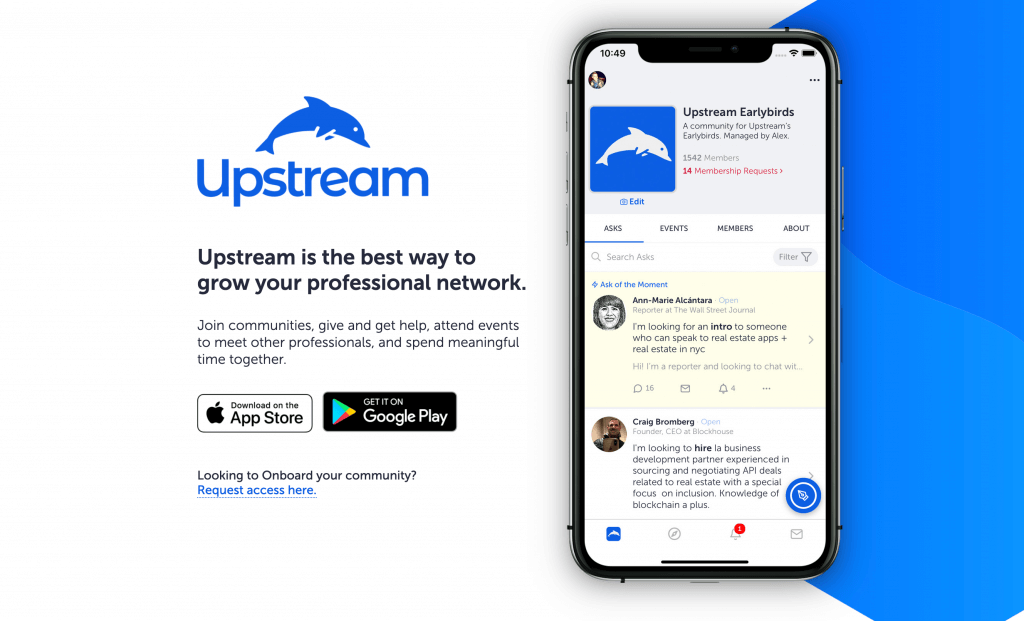
Business Networking App: Upstream
Business Networking is Alive - Now More than Ever

Per their site, “Join communities, give and get help, attend events to meet other professionals, and spend meaningful time together.

I had the opportunity to debate Alex, founder of Upstream, about networking in 2020 on my business debate show (Prove It Matters), and here’s what happened:

  • Personal Experience: I think of Upstream as business speed-dating. The platform connects you with random people from within a community and you have a few minutes to talk to them. And right now, it’s hands-down my favorite place to network. If you can’t tell from the video above, I like to talk and usually talk fast, so this gives me a chance to meet a lot of people in a short amount of time. I love the app so much and this speed-networking format that I offer my own personal office hours via the app.

Get Started with Upstream

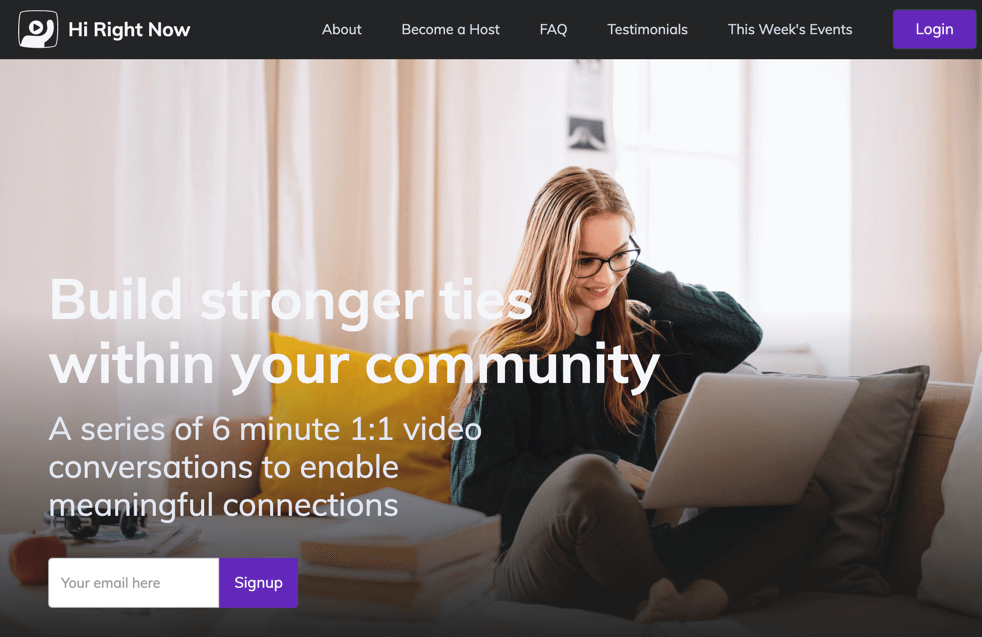
Business Networking Website: Hi Right Now
Business Networking is Alive - Now More than Ever

Per their site, “A series of 6 minute 1:1 video conversations to enable meaningful connections.

  • Personal Experience: It’s where I met Jai (see above). It’s also where I have spent the least amount of time. This isn’t to say anything negatively about the website, it’s just I don’t have enough time. My perspective is that this is more of an international crowd, while a lot of the other networking apps and websites are seemingly USA-centric. 

Getting Started with Hi Right Now

Hope you found this supportive. If you’d like to network with me, please do:

Categories
Sales Business Featured International Business Marketing Podcasting Social Media Software Tools

The Build & Inspire Podcast is Live! How it Got Started & Lessons Learned

The Build & Inspire Podcast is an interview-style podcast where I connect with people from all walks of life, doing what they love, in hopes of inspiring others to do the same.

I feel the podcast has been in the making since I was born. I’m a talker first and foremost, always have been and I have had lots of high school detention slips to prove it.

What can I say? I love to talk to and learn about people, and I love to support others whenever I can. Talk radio has always been part of my life and is still is. I start my day with NYC morning talk radio, regardless of where I am in the world (and yes, I sometimes this does cause confusion when it comes to whether or traffic…). I fell in love with podcasting the first time I heard Josh and Chuck from Stuff You Should Know (I never met them, but it feels like we’re best friends). Today, I’m listening to podcasts anytime Ican: as I shower, drive, exercise, and so on.

Producing and launching the podcast has been an incredible experience and I’m humbled by the those willing to take the journey with me both behind the scenes and as guests. I received thousands of listens on the first episodes, without any paid promotion. WOW! THANK YOU, THANK YOU! I would have been happy with ten listens.

Subscribe to the Build & Inspire Podcast:

[podcast_subscribe id=”2886″]

That said, the process has not been without its challenges. I’ve learned a lot and I’m still learning. Below is more on this journey so far in hopes of inspiring you to launch your own podcast – if you were ever thinking about it. One thing to keep in mind is that I wanted to do this as inexpensively as possible without sacrificing quality; I didn’t want to be the person who goes skiing once and buys all the best things to not be good at it or never go.


Podcasting Equipment:

The Build & Inspire Podcast is an interview style podcast and I knew I wanted all interviews to be in-person whenever possible. So I started with the equipment below:

The Movo LV20 setup has two microphones and really long cables. I’ve recorded in some really echoy rooms, and while the echo has come through, it’s many times better than the iPhone mic or the mic on my MacbookPro.

I also ordered the wind muffs to try to block out sound, but I don’t think they do much of anything. I’m going to see about ordering different ones. 

I hook everything into the Sony recorder so I don’t have to worry about my phone’s batteries or forgetting to put my phone on silent. The microphone adapter cable I have as a just-in-case. This setup has worked well for me and I will continue to use it as I travel about.

Podcasting Audio Software:

This has been the hardest thing for me. I tried everything, including Audacity, Garageband, and Logic Pro X. After a lot of trial and error, YouTube tutorials, I had a mixed version of the podcast I thought was ready. I did a test launch and it sounded great on my computer and headphones. But after a friend gave it a listen in his car, and it sounded like I recorded it underwater.

Finally, I did what I should have done from the beginning, I outsourced it to Fiverr. I know better…I was going to do this initially but I thought it would be fun to learn audio mixing and production. Bad move. I now have someone I use out of Colombia who will clean up the sound, mix the intro with each new episode file, and I have it ready in MP3 and WAV formats within 24 hours.

Podcasting SaaS Distribution Platform:

This one was easy. I went with Anchor FM. I was familiar with Anchor FM from another podcast project I was a part of, it’s free, and it distributes to most of the major podcast channels (iTunes, Google, Spotify, etc.).

I know there are other ones out there, maybe others that are much better, but it was a no-brainer for me because it was free and I knew how to use it.

My Only Complaints:

  • The Web Embedded Player: It takes a few seconds to load the widget, after the other parts of the page have loaded, and it makes me think it’s not working.
  • Website Link: When Anchor FM shares the podcast details with iTunes, Google, and so on, it shares the podcast website as their profile page on Anchor FM (see below). I wish it would linkback to BuildAndInspire.com.

What’s Next?

There are lots of people I can’t wait to interview, but I won’t be able to get together with them in person, so I’ve built a makeshift studio with a Blue Yeti Nano and acoustic foam. I’m using Zoom to record the audio, and it’s been working out fantastically well:


I hope you learn from my challenges and if you were thinking of starting your own podcast, I hope you go ahead and do it. It’s been an amazing time learning and connecting with wonderful people, and I’m sure it will be for you too.

Please share any thoughts, recommendations, or anything else in the comments.

Categories
Business Development LeonardoM.com Sales Software Tools

5 Unconventional Sales Enablement Tools and How to Use Them

This list of unconventional Sales Enablement tools covers tools that generally are not considered sales tools for one reason or another, and they can be used for anyone doing any type of sales.

After all, everyone is a salesperson in one way or another, and I hope this article inspires everyone from solopreneurs to SaaS salespeople, to marketers selling ideas, and all in between.

Here we go!

1) aText (MAC) (For Windows: TextExpander)

aText (MAC) - Leo Morejon
  • What is it: A “text expansion,” or as they call it, a “typing accelerator” tool. Think of it as “auto-complete” for anything or everything you type on a regular basis. Similar tools exist for email, aText is different because it works across your whole computer.
  • How to use it: We all end up typing a lot of the same things over and over – from “Thank you” emails to links, phone numbers, and so on.  Use aText to save countless hours of typing, automatically compose full emails, populate lists of links to sales collateral, and more.

    Lifehacker.com has a fantastic guide: https://l3o.me/2QFfysz

  • Link: aText: https://l3o.me/2QJ1FK7 | TextExpander: https://l3o.me/2QFaMew

2) Fiverr

Fiverr - Leo Morejon
  • What is it: A freelance marketplace. You can hire people online to perform any number of tasks for as low as $5.

  • How to use it: The possibilities are endless. Hire someone to research a prospect, to transcribe a meeting, or to copyedit. Better yet, get really creative and use someone to create inspiring content to be used on a sales pitch or to wow a client. I’ve created personalized songs with unique beats and lyrics for a ringtone to share as a gift, explainer videos for a client, and also had someone help me research upcoming events – all for about $5 each.

  • Link: https://l3o.me/2PMgiuJ

3) Hootsuite

Hootsuite - Leo Morejon
  • What is it: A social media management tool. Manage Facebook, Twitter, and other social media platforms using one single tool.

  • How to use it: Salespeople need to use social media. Use Hootsuite to save time, uncover new opportunities, and optimize many other aspect of your social media efforts, quickly and easily schedule content, track conversations from specific people, setup keyword searches related to your product or industry, track your performance, and so on.

  • Link: https://l3o.me/2QJ0TNd

4) Croissant

Croissant - Leo Morejon
  • What is it: A shared network of co-working spaces. They have deals with multiple co-working spaces across a number of cities and you can check into and use any of them.

  • How to use it: Getting back to the office after a meeting or finding places to work in between meetings can be hard. Of course, you have cafes, but they can be hit or miss. Use Croissant to find a place by to your next meeting to prep, have meetings with clients, grab a quick deck to write follow-up emails so you don’t have to head back to the office, and so on.

  • Link: https://l3o.me/2MJDDeH

5) Traveling Mailbox

Traveling Mailbox - Leo Morejon
  • What is it: A “Virtual Mailbox.” A Virtual Mailbox replaces your snail mail (your regular physical mailbox address) by providing you a new address where things can get mailed. They will scan your mail, shred it, forward it, and even deposit checks for you.

  • How to use it:  Many salespeople travel frequently. Use Traveling Mailbox to keep your personal life in order while on the road. If you miss an important piece of mail (bill, insurance, license renewal, etc.) while on the road, it can cost hours of unproductive time in the future.

  • Link: https://l3o.me/2OC9j7h

Like this list? Have your own favorite unconventional Sales Enablement tools? Let me know in the comments below.

Categories
Business LeonardoM.com Sales Tools

Create Scalable Services: The Service Model Canvas

Friction is one of the most significant issues for any company – new, small, or big. Friction slows progress, and diminishes results across communication, collaboration, project management – everything!

This article is meant to support startups, growth stage companies, and large companies alike, reducing friction when developing new, scalable services. You can also think of this as a way to productize services. The document is not meant to be client-facing; it is designed to help with onboarding, marketing, and much more. It serves as a blueprint; it keeps everyone on the same page and explains different aspects that may be important to various projects.

The Service Model Canvas Template below is the same template I have used successfully to develop many services for myself and clients, and it’s free for you to download.

You can download the Service Model Canvas Template using the link below and follow along below for explanations of each section.

The Service Model Canvas Template - Leo Morejon


Service Model Canvas Template Guide:

Sample Scenario: To support with the explanation below, let’s pretend we’re creating services for Company Z, a Marketing Technology company that is now offering creative services. The examples are only meant to support the explanation, therefore they will not be long or detailed.

  • Section 1: Overview
    • Executive Summary/Pitch: This is the principal value proposition: why these services exist and what they are, from a high-level perspective. This is done so you can easily inspire people and explain to people your services in order to get them hooked.
      • Example: Company Z exists to make the lives of brand managers easier. Today, brands are looking to consolidate their partnerships, and with creative services from Company Z, it’s easier than ever before.
  • Section 2: Categories
    • Category: Here is where you create high-level categories for each service – this is helpful, as you organize details and thoughts.
      • Example: Content creation, copywriting, and so on.
    • Description: Provide a definition for each category.
        • Example: Content creation refers to any service where content is created.
    • Details: You can use this section to provide examples or a deeper explanation of the category.
      • Example: This includes, but is not limited to, video content and static images.
  • Section 3: Services
    • Service Category: The categories outlined in the “Categories” section go here.
        • Example: Content Creation, Copywriting, and so on.
    • Service: Name the service. I usually provide a descriptive name here and not a branded name, focusing solely on explaining what the service is. Of course, do what’s best for you. A good option is to include both.
      • Example: Video Creation
    • Ideal Target: Provide an overview of your target market or customer. Who are you selling to and who is the most likely to want/use this service? These are guardrails to allow you to focus as you sell, market, and so on.
      • Example: Existing brand clients looking to consolidate creative services and have budgets of $50k a month.
    • [Company] Offering: Describe a detailed overview of what you are offering. Do not leave anything out. Besides getting to “what” you offer, it provides details.
      • Example: The creation of video media using digital cameras in the US and UK.
    • Questions Answered: Include a list of all the questions your service answers. In other words, what problems do the services solve? What are some questions from prospects/clients that may trigger you offering your services?
      • Example: How can I reduce the cost of content creation? How can I consolidate my content creation spend?
    • Value Proposition: Investopedia describes it best: “Value proposition refers to a business or marketing statement that a company uses to summarize why a consumer should buy a product or use a service.”
      • Example: We grow your business by consolidating technology and services, with video being a great way to start.
    • [Company] Does Not: Provide details regarding what this service does not include – this is the area that most people forget to think about. These are part of the guardrails that support scaling.
      • Example: Create scripts, provide content analytics, and so on.
    • Needs From Client: List a detailed overview of what you need from the client to fulfill the service – this is for when you have a client, not necessarily for prospects.
      • Example: Brand guidelines, access to creative staff, access to visual assets, and so on.
    • How: Explain exactly how this product will be delivered. Go deep into operational detail here.
      • Example: Share onboarding paperwork, review internally, source internal resources, create a storyboard, share the storyboard, and so on.
    • Required Skills: Who do you need to get this completed? Alternatively, you can make this into: “who and what do you need?” … the ‘what’ being tools or other non-personnel resources.
      • Example: Scriptwriter, Final Cut editor, and so on.
    • Delivery Schedule: Provide a timeline for how long it will take to complete your service. Be conservative and buy yourself time.
      • Example: Two weeks

This version of the Service Model Canvas is ready to use for a lot of use cases. You can, and of course should, add more details if it makes sense to you. The main pushback shared about this Service Model Canvas template is that it has too many levels or areas; this is a feature of the template to allow for deep-thinking, and it allows this document to have legs. This Service Model Canvas is also not as visually pleasing as others; this too is a feature. By having the template exist in a spreadsheet, it makes it easier to create and edit.

Enjoy! If you make any useful updates to the template, please share it with me, the goal is to make this the very best that it can be.